
Signed before your coffee gets cold
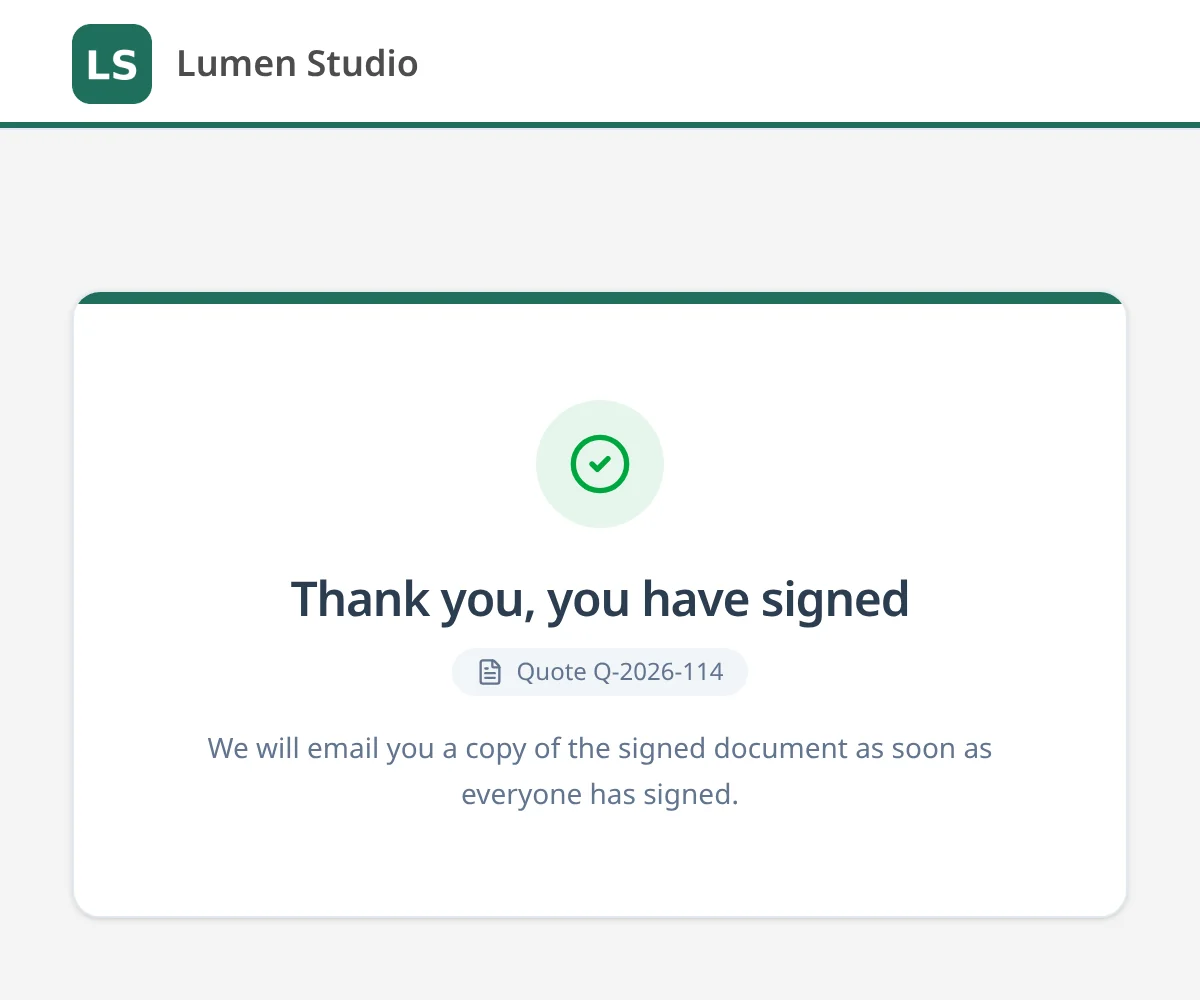
Your document is created and immediately set up for signing. Your customer opens a link, signs in a few seconds and you see it right away.

How a signature works
The whole signing flow, screen by screen
Real Documenty screens, shown with a fictional company and fictional customers.
- 1. Send
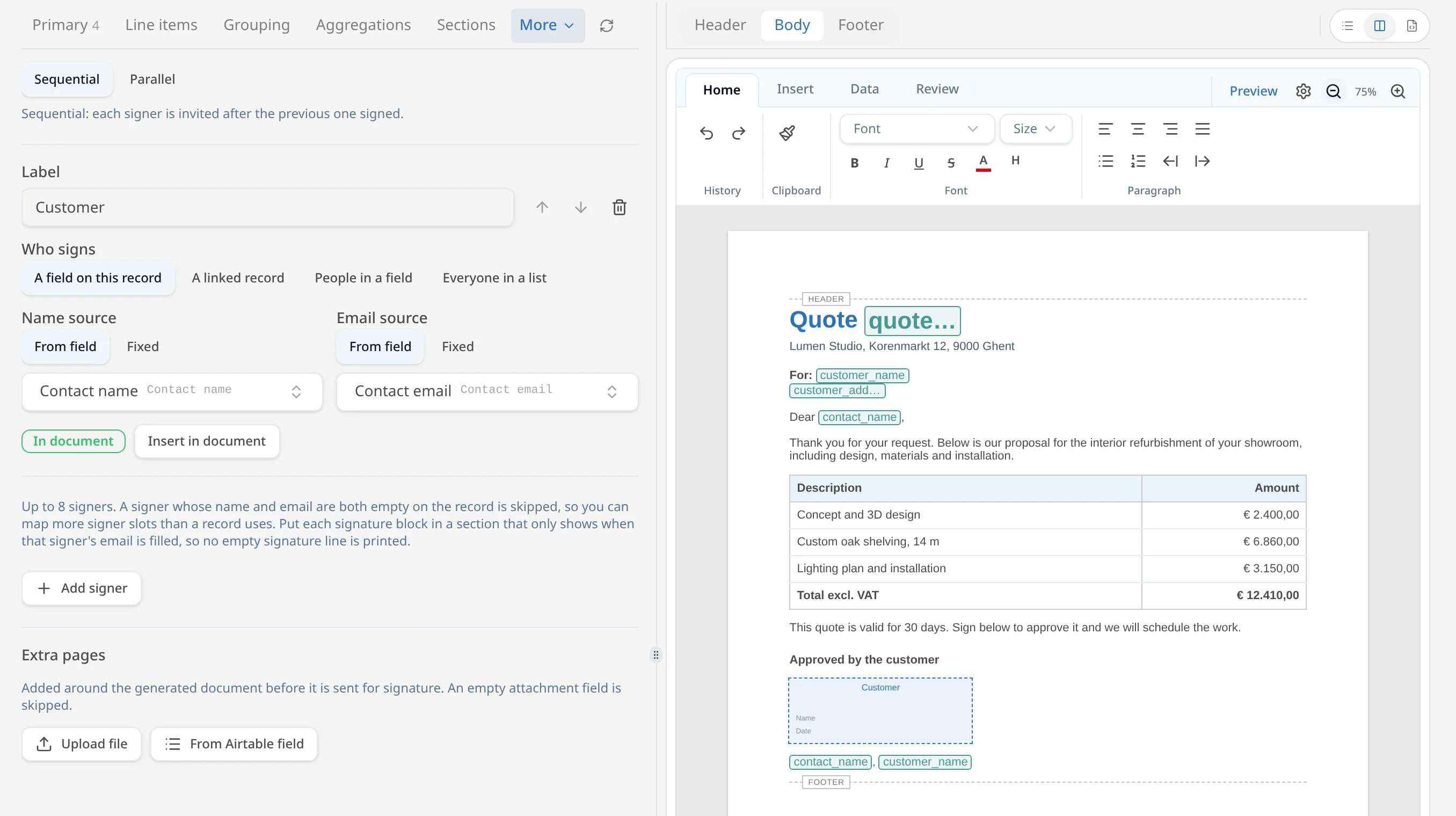
Place the signature block in your template
Add a signature block where your customer signs and choose which fields hold their name and email. A signing trigger then sends each new document out for signature.
- 2. Sign
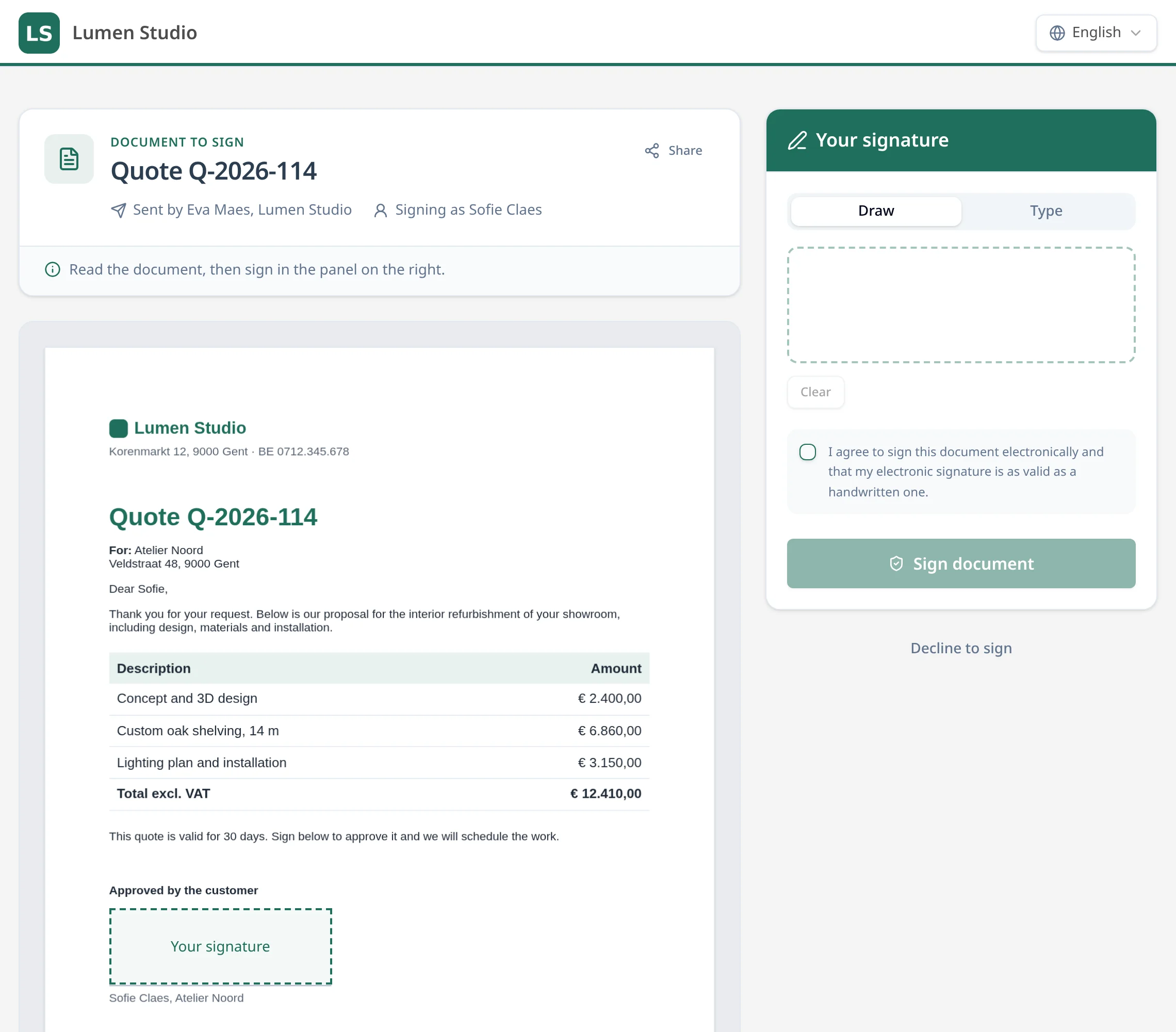
Your customer signs in your house style
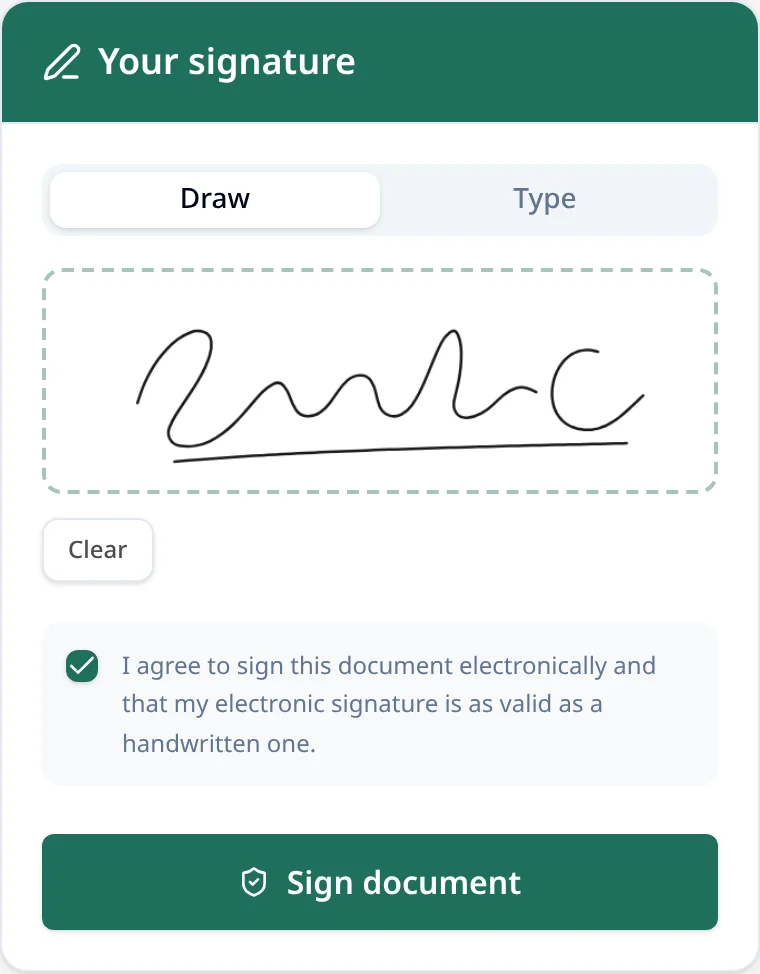
The signer opens a personal link and sees the document with your logo and colour. They draw or type their signature, agree to sign electronically, or decline.
- 3. Proof
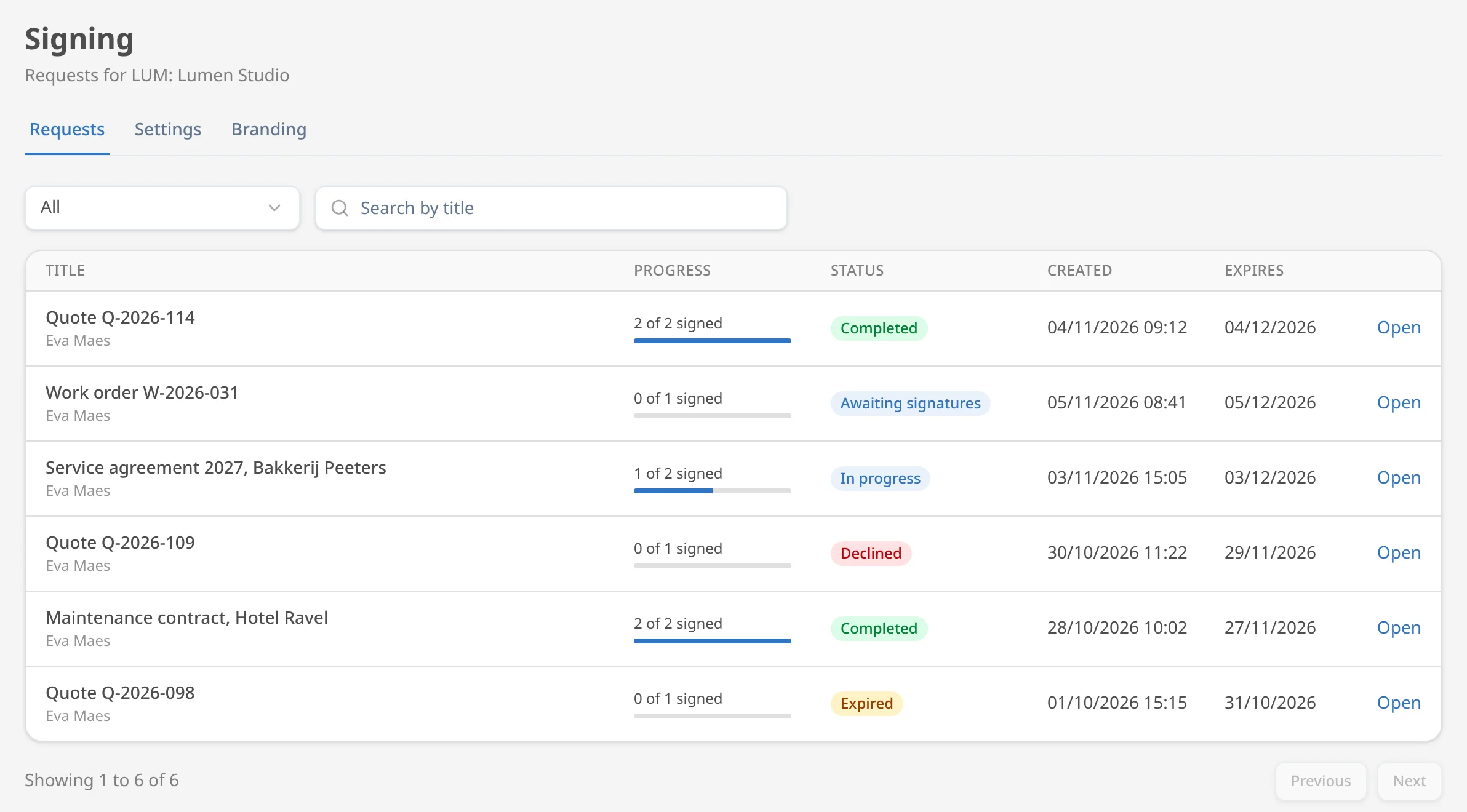
Follow every request live
The overview shows each request with its status and how many people have signed: awaiting signatures, in progress, completed, declined or expired.
Every step on record
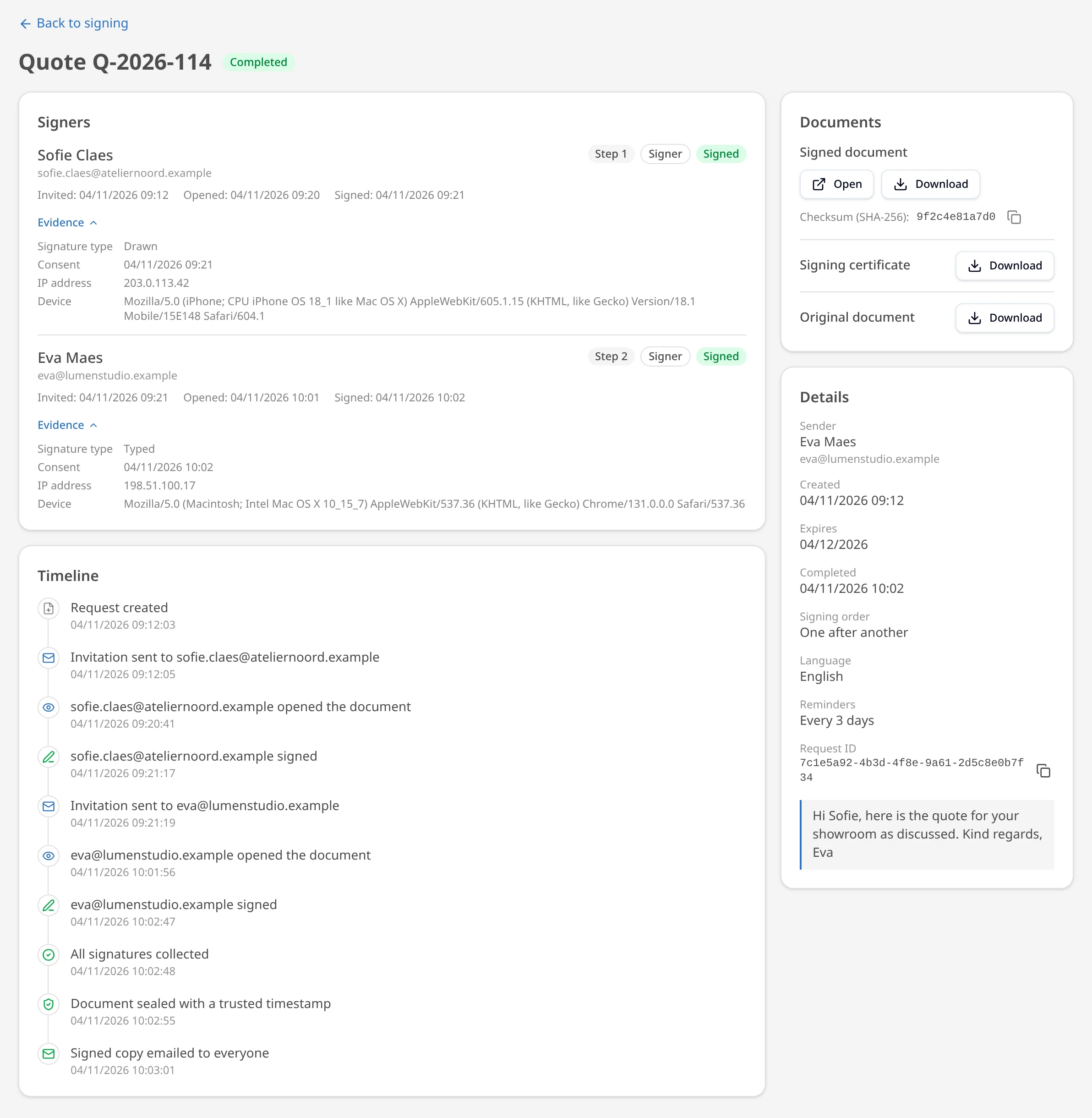
Open a request to see its full log: who received it, opened it and signed, down to the second.
- Every event with date and time: created, invited, opened, signed or declined, sealed.
- Per signer: name, email, signature type (drawn or typed) and when they agreed to sign electronically.
- The IP address and device used to sign.
- The signed PDF, sealed with a trusted timestamp, with a SHA-256 checksum and a separate signing certificate to download.
Good to know
Still unsure? Call +32 9 320 00 10 or email info@documenty.com.
Does my customer need an account?
No. Your customer gets a link by email, opens the document in the browser and signs right away. No app, no login.
Does it work on a phone or tablet?
Yes. Signing with a finger on a phone or tablet works just as smoothly as with a mouse on a computer. Handy for work orders on site.
How do I know it's been signed?
You see the status live in Documenty and the signed document automatically goes back into your own tool. No chasing required.
Can several people sign?
Yes. You decide who needs to sign and in what order, for example first the customer and then your managing director.
Is a digital signature legally valid?
For most everyday documents such as quotes, work orders and delivery notes, an electronic signature is valid proof of agreement. Every signature gets a timestamp and audit trail.
Done with printing, scanning and emailing back?